google-site-verification: google9e7aa5276f9a1a67.html citblek

Rabu, 11 April 2012

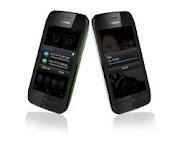
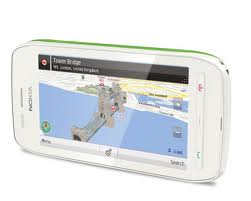
Nokia 603

Nokia 603 is a new mobile phone released by Nokia recently, the smartphone is equipped with Symbian OS Nokia flagship latest Belle with 1 GHz CPU ready with all the features embedded in this handset. Nokia 603 has a specification that is quite significant considering the latest OS slipped from Nokia.

 
Nokia 603 specs and price TerbaruDengan a 3.5-inch type LCD ClearBlack masksimum HD resolution of 360 × 640 pixels making it very compact smartphone in your hand, as well as color variations available, fresh colors and eye caching chick and invite the attention of people around the user this new smartphone.


Features messaging, GPS, email and smartphones have all the standard features on the Nokia 603 is, for the affairs of image preservation N 603 equipped with a 5 MP camera, for video recording smartphone is capable of 720p. Very compact as a medium for capturing important moments pal.

For the network side sonnection Nokia 603 comes with hardware that can accept a quad-band 2G, tri-band 3G with HSDPA 14 Mbps, not only that HSUPA 5.7 Mbps as you can get any weapon in the affairs of the network.

Now that the core is a matter of price, the price of the Nokia 603 was released with bandrol 200 euros, to forecast the price in Indonesia please converted into rupiah currency because we do not yet exist in the official price of the Nokia 603 as well as information on market entry.

Taken from various sourced.

Label:

Senin, 09 April 2012

iPod Classic 160 GB

This latest gadget from apple products, ipod classic 160 GB it is a necessity that must be owned by those who like mp3 player, with a minimized form can be easily put in your pocket, equipped with large memory, you can save thousands of favorite songs you, not just that alone, this product has a very charming features.

if you're traveling or doing something, to help you avoid boredom, then seize your 160 GB iPod in your pocket, and start listening to a song that you like but if you want also to hear other tracks. just a few clicks, the Genius feature will soon find other songs on your iPod classic with a great sound that you're listening to, then make a Genius playlist for you. Or a customized set of songs even more when you use the new Genius feature in iTunes mixture. Just sync your iPod classic to iTunes, and Genius automatically searches your library to create the perfect mix you will love it.
equipped with a large memory which reached 160 GB, iPod classic 160GB provide substantial storage capacity, you can easily hear or see well for up to 40,000 songs, 200 hours of video, 25,000 photos, or a combination. Using battery power and a good and long, you get up to 36 hours of battery life, so you can keep rocking for a very long time. This will greatly assist you in enjoying your busy time.


unlike other mp3 player, where you must push the button harder if you want to listen to other songs, the iPod classic 160 is very different, Finding what you want to watch or listen to is easy. Use the Click Wheel to browse by album art with Cover Flow or navigate your songs and videos by playlist, artist, album, genre, and more. You can also search for specific titles and artists. Want to mix things up? Click Shuffle Songs for a different experience each time.

With 160GB of space, iPod classic means you can always have the whole music and movie library with you.2 with a minimized form, iPod classic 160 GB can be easily carried in your pocket from the living room to a party in the backyard. Or bring in cross-country trip and never listen to the same song twice .. certainly something that is really great.


by using a 2.5-inch screen on the iPod classic 160 GB, making a clear view and can make the video come alive. you can buy or rent movies, buy TV shows, and download video podcasts from the iTunes Store, then sync to your iPod classic to watch whenever or wherever you are, you do not need to bother asking for a song or movie to your friends. This will save your valuable time.


Demonstrate your ability to enjoy the game. Blast through bricks and power ups. Put your trivia skills to the test. Stack the cards in an old favorite. iPod classic also comes with three games - Vortex, iQuiz, and Klondike. Designed specifically for the Click Wheel interface, they put the hours of fun at your fingertips. you may not realize as time goes by fast.


This may be a great feature included in the iPod classic 160 GB, where you can easily use the iPod classic iTunes to sync photos you have in iPhoto on a Mac. You can view photo slideshows complete with music and transitions on iPod classic, or play them on TV using an optional Apple component or composite AV cable. so what are you waiting for, immediately just buy iPod classic 160 GB and feel life time experience in entertainment.


Recent price estimates $399 US Dollar.
 
Apple iPod Classic 160GB specs.

FeaturesMeet a musical Genius
Watch movies and TV shows
Click to enjoy
Play iPod games
Hold everything
Share your photos
Audio Playback* Frequency response: 20Hz to 20,000Hz
* Audio formats supported: AAC (8 to 320 Kbps), Protected AAC (from iTunes Store), HE-AAC, MP3 (8 to 320 Kbps), MP3 VBR, Audible (formats 2, 3, 4, Audible Enhanced Audio, AAX, and AAX+), Apple Lossless, AIFF, and WAV
* User-configurable maximum volume limit
Video PlaybackH.264 video, up to 1.5 Mbps, 640 by 480 pixels, 30 frames per second, Low-Complexity version of the H.264 Baseline Profile with AAC-LC audio up to 160 Kbps, 48kHz, stereo audio in .m4v, .mp4, and .mov file formats: H.264 video, up to 2.5 Mbps, 640 by 480 pixels, 30 frames per second, Baseline Profile up to Level 3.0 with AAC-LC audio up to 160 Kbps, 48kHz, stereo audio in .m4v, .mp4, and .mov file formats: MPEG-4 video, up to 2.5 Mbps, 640 by 480 pixels, 30 frames per second, Simple Profile with AAC-LC audio up to 160 Kbps, 48kHz, stereo audio in .m4v, .mp4, and .mov file formats
Display2.5″ (diagonal) color LCD with LED backlight
320-by-240-pixel resolution at 163 pixels per inch
Storage160 GB hard drive
Input3.5-mm stereo headphone jack
OutputDock connector
PC ConnectivityMac computer with USB 2.0 port
PC CompatibilityMac OS X v10.4.11 or later
iTunes 9 or later
BatteryBuilt-in rechargeable lithium-ion battery
Battery LifeMusic playback time: Up to 36 hours when fully charged
Video playback time: Up to 6 hours when fully charged
Dimension (WHD)61.8 x 103.5 x 10.5 mm
Weight140 g
Package ContentsiPod classic
Earphones
Dock Connector to USB Cable
Quick Start guide
Warranty1-year Limited Warranty


Taken from various sourced.

Label:

Jumat, 06 April 2012

Moverio BT-100

 The era of smart glasses are in the process seems to square off. Epson succeeded in making the Android-based smart eyewear named Moverio BT-100. Epson claims this new product as the world's first smart glasses. With a design like the one used goggles Star Trek figures, glass micro Moverio projecting screen resolution 960 x 650 pixels with a distance of 1 inch from the eyes of its users. With the distance that close, your eyes are like enjoying the display of 80 inches. Moverio have used the best anti-UV lenses. In addition, these glasses are also equipped with audio quality of earbuds to enjoy Dolby Digital Surround Sound.

For navigation, Moverio provide Wi-Fi controller that comes trackball to allow users to access the internet, streaming, download, watch videos, and other multimedia content such as 2D and 3D. For those who think the magic of 3D is just for kids, it's time to reframe that assumption. Using pioneering micro-projection technology and advanced imaging techniques, Moverio is capable of producing a perceived image equivalent to one you might see on an 80-inch display viewed from 16.4 feet away. Enjoy a big screen experience in the everyday comfort of an airplane, waiting room, or your own bed. Best of all, Moverio lets users project digital 3D images into their actual environment, making live sporting events, concerts, and action films more thrilling — and real — than ever before.

 Whether you're in transit, on vacation, or relaxing around the house, Moverio goes where you go. Moverio's Wi-Fi connectivity and compact touch-sensitive rechargeable controller with nearly 6 hours of battery life3 are a convenient way to view content from most locations. So you can stream movies from sites like YouTube and Vimeo, listen to music, check email, play games, book tickets, or research new restaurants from virtually anywhere life takes you. Even when you aren't connected, the microSDHC card slot (4GB card included) and internal 1GB user storage on the controller provides easy access to downloaded content. When it's time to relocate, simply slip the glasses back into the included carrying case. The stylish case (conveniently designed to fit inside your laptop bag), battery charger and ear phones to enjoy Dolby® Mobile virtual surround sound are all included.

Because Moverio been supporting Adobe Flash, so he can play the content of the MPEG-4 (AVC/H.264), MP3, AAC, and video on video sharing website YouTube. Since the earliest science fiction movies, the world's been in endless pursuit of a perfect amplified reality. With Moverio we are one step closer to getting there. The glasses' large hi res display and quarter HD screen has an immersive effect, and lets users experience content in new ways. Flip easily from the interactive trackpad for games to text mode for communicating with friends. Take a virtual tour of the French Riviera on your lunch break. Its simple — and shockingly clear.

Moverio provides 1GB of internal data storage media that can be expanded with MicroSD up to 32GB and running with an operating system Android 2.2 Froyo. platform with Adobe® Flash® 11 support. The batteries last up to 6 hours. Like other first-generation products of its kind, Moverio will expose a whole new world of technological possibilities. content from your favorite flash-based websites via a Wi-Fi connection has never been simpler. Access content from a variety of sources, including the built-in gallery and music apps. The system can be constantly updated with new apps, new content and new ideas, making its capabilities, well, endless. Imagine playing an online flight simulation game one minute and the next minute flying a drone plane while simultaneously viewing the live video feed from the drone's cameras projected in front of your eyes as an 80" perceived image2. With Moverio, it's not only possible, it's feasible. It's now.

In addition to Epson, Google is also reportedly developing Android-based smart eyewear. Based on rumors, Google Goggles navigation system is done by tilting the head to make a click or scroll through the screen.
The future meets reality with Moverio BT-100, Epson's newest venture in personal technology. The high resolution see-through display, Wi-Fi® connectivity1, and smart navigation capabilities creates an innovative visual experience. The portable controller and headset allows users to browse, shop and stay connected while still being part of their environment. See beyond the confines of the everyday with Moverio. Reality as we know it has a new name.Moverio priced at 699 dollar. 

Taken from various sourced.

Label:

Jumat, 16 Maret 2012

Smart way to buy a cell phone with various functions

Many of the manufacturers or vendors of smartphones and PDA phones are competing to market their products. some of them work with the service provider to create an exclusive network that are able to chat and send e-mail easily. There also are embedding a range of leading technologies such as 3.5G in order to access the data on the Internet or send e-mail at high speed. Some manufacturers embed function Global Positioning Satellite or GPS is integrated with maps in their products so as to make people can not get lost wherever they are.

At first smartphone or PDA phone is a communication device or mobile phone equipped with a digital organizer. This device can also function as a data organizer, e-mail client, web browser, music player, movie player, digital camera, GPS, edit documents, and other functions.


so how can we choose between a regular mobile phone with a smart phone or PDA phone and how well the differences and benefits between the three types are, whether we should buy a regular phone or seluran we are tempted to buy a smart phone or PDA phone.

I will try to give a little review about the differences between the three, probably after that, you can choose the type of cellular phone that you will buy, but it all depends on the budget you have, do not push yourself to buy an expensive mobile phone when You have a limited budget, the important thing is
when you buy a cellular phone make sure it is beneficial for you.

Tips for Choosing a PDA phone or Smartphone

1. Cellular network
     If you frequently travel abroad or out of town, choose a smartphone with GSM and    
     not CDMA. Because overseas, you can buy prepaid cards to be installed on your
     smartphone. You could also use the roaming network from your service provider.
     But if you more in the country, you can use alternative networks such as CDMA.


2. OS (Operating System)
     We have available a variety of operating systems (operating system) for the
     smartphone. Some of them are Symbian, Windows Mobile, Android, Linux, Palm
     OS, and BlackBerry. Each has advantages and special functions. Check carefully
     which functions are most suitable and most frequently used. Almost all operating   
     systems can perform basic functions such as telephone, e-mail, web, and SMS /
     MMS. But there are some specifics, such as the BlackBerry is able to connect to the    
     server e-mail and BlackBerry's special chat server. If you are using Microsoft
     products     
     like Windows and Microsoft Office, then you can choose the device with Windows
     Mobile operating system so you are more accustomed to using it.


3. Speed Data (Download Speed)
    Data rates can also be a special consideration for those who frequently take the data
     on the Internet or send data via e-mail. Some smartphone offers 3G data speeds up to 
     HSDPA (High Speed Downlink Package Access) or 3.5G up to 7 times the speed of 3G.
     In the CDMA network is also known as EV-DO, if you subscribe to packed- based time,
     the higher the data rate, the cheaper your credit bills for a fasterdownload time. Data
     rates from the lowest to the highest of (on GSM) : GPRS, EDGE, 3G, 3.5G (HSDPA)


4. WiFi function
     If you are located in areas that provide free hotspot, then consider buying a
     smartphone that has WiFi. With this facility, you can connect to the Internet without
     burdening your credit bills. This function is not recommended for smartphones has
     given many cellular networks that offer broadband Internet speeds, such as 3.5G and
     EV-DO.


5. QWERTY Keypad
     Some smartphones are equipped with QWERTY keypad is a keypad arrangement
     similar to the arrangement of letters letters on a computer keyboard or laptop. This
     facility is easier for users to type on a smartphone rather than using the numeric
     keypad or numbers. If you are typing, then you are fit using the QWERTY keypad.
     But if you just simply call, read e-mail and browsing, numeric keypad or the numbers
     are still right for you.


 6. Connectivity (Connectivity)
     Make sure you can move existing data in the smartphone to the media or other
     devices easily. Suppose you have taken a picture or portrait is pretty much in your
     own smartphone, and want to transfer to your computer or your laptop or print to a
     printer. Of course you need a connection to another device such as a data cable, USB
     or via Bluetooth. Therefore, make sure that one or more facilities to connect to other
     devices available on the smartphone that you will buy.


7. Memory
     Check if the number of available internal memory mencukup for your data needs. If
     you feel less, also check that the smartphone has a slot for external memory to
     accommodate your data.


8. Display (Display)
     If you frequently work on documents on your smartphone, then choose the size of the
     screen (display) is big. The larger screen makes it easier and comfortable in the
     process and work on your documents. But to remember is that a large screen size will
     make the device battery faster. Also consider the depth of colors displayed. The
     greater depth of color, the images shown will be more beautiful.


9. Application
     You can also check applications (software) anything contained in the smartphone. If
     you are processing a document, whether existing office applications in it (office suite),
     such as word processing, spreadsheet and other applications. Or if you like listening
     to music or watching movies, whether it is available the application of good
     entertainment in it.

10. Connection (Corporate Connection)
      If you are assigned to provide smartphones to employees in your company then
      consider a smartphone that can be integrated with the systems in your company.
      BlackBerry is widely used for the employee to the company because of its
      compatibility with integrated e-mail system and server in the company.
   
11. After Sales Service
      Make sure you purchase the smartphone through a distributor who has a clear after-
      sales service. Since the number of features on a smartphone, of course you need a
      good after-sales support such as warranty, product training, software updates and
      fixes.
    
12. Ensure Again
      Make sure the product before deciding to buy a smartphone by asking yourself the
      following questions:
        
  ·         If the device is comfortably held?

  ·         Is the display screen looks clear enough?
      
  ·         Does the price is still reasonable for me?
        
  ·         Are the buttons and keypad easy to use?


 Smartphone or PDA phone is not the cheap stuff. Therefore, when I want to buy the 
 device, you must choose carefully as you need. If your primary need to listen to music, 
 watching movies or playing games, then you should just buy a phone with entertainment
 functions. But if you frequently use the Internet, working with a variety 
 of documents, requiring the regulatory schedule and organizer, then you should choose 
 your smartphone or PDA phone. A smartphone can do many things to simplify your life.
  

Taken from various sources
 

Label: